

When and why to move from System 1 Classic to Evolution, how the migration works step by step, what happens to historical data and what the plant should prepare.
Contents
System 1 is the software that collects data from machinery protection and monitoring systems — most often Bently Nevada 3500 racks. It is where the diagnostic engineer looks at trends, spectra, orbits and run-ups. Many plants still run System 1 Classic, installed years ago. More and more often the question is: should we move to System 1 Evolution, and when?
Below we describe how such a migration works in practice, based on projects we have delivered in power generation and the chemical industry.
Why plants move to System 1 Evolution
Usually several reasons come together:
- Classic is no longer developed. Development of the platform is focused on System 1 Evolution — that is where new features and fixes appear.
- New hardware cannot be connected to Classic. Systems such as Orbit 60 and newer monitoring devices work only with System 1 Evolution. If you plan to extend or upgrade your protection system, migration becomes a prerequisite.
- Outdated server. Classic often runs on old versions of Windows and SQL Server that no longer meet IT and cybersecurity requirements.
- Better tools for the diagnostic engineer. Evolution brings online and portable data together, with a clearer interface, better alarm management and reporting.
- A good moment during upgrades. It makes sense to combine the migration with a server replacement or a 3500 upgrade.
Does the migration require a machine shutdown?
No. The protection function is performed by the 3500 rack (or Orbit 60), independently of the software. Alarms and trips work all the time. Only the collection of diagnostic data into System 1 pauses during the switchover, usually briefly.
How the migration works — step by step
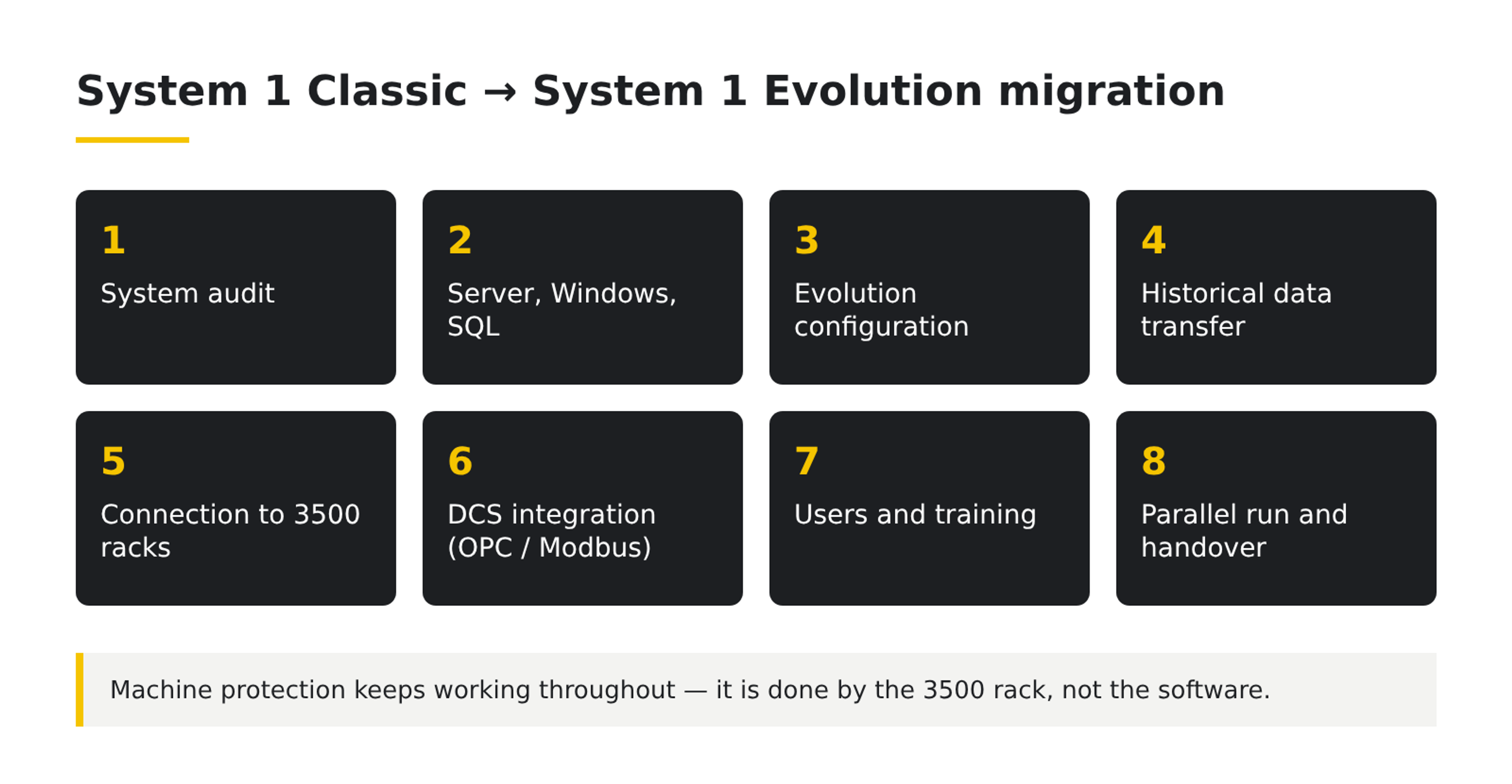
- Audit of the existing system. We check the System 1 Classic version, the 3500 racks and other data sources, the number of machines and measurement points, the licences and the links to the DCS (OPC, Modbus).
- Server and operating system. We prepare a new physical server or virtual machine with a current Windows Server and SQL Server version, in line with Evolution's requirements and the plant's IT policy.
- System 1 Evolution configuration. We rebuild the plant hierarchy, machines and measurement points from the existing Classic configuration, so the diagnostic engineer finds the familiar structure right after the migration.
- Historical data transfer. We move the full history from Classic to Evolution. Trends and events from previous years stay available — important for before-and-after comparisons around overhauls.
- Connection to the racks and data collection test. We bring up communication with the 3500 racks and check channels, speed (Keyphasor) and data quality.
- DCS integration. We configure data exchange over OPC or Modbus and test it together with the plant's control team.
- Users, permissions, training. We set up accounts and roles, and the staff get a short training on working in Evolution.
- Parallel operation and handover. Both systems can run in parallel for a while. Classic is switched off only after Evolution is confirmed to collect complete data.
How long does it take?
It depends mainly on the size of the database — the number of machines, points and years of history to transfer. A small installation takes a few days; a large database with many years of history needs more time to transfer and verify the data. We set the schedule after the audit.
What the plant should prepare
- access to the server or virtual machine and administrator accounts,
- a network diagram and an IT contact,
- information about the System 1 licences,
- a control engineer and a time window for testing communication with the DCS,
- a list of users and their roles.
Summary
Migrating from System 1 Classic to Evolution does not require a machine shutdown, and the full data history is kept. It is also the prerequisite for connecting new systems such as Orbit 60. Most of the work lies in good preparation — audit, server, network and licences — so that is where we start.
Planning a migration or a monitoring system upgrade? Ask an engineer — we will prepare an audit and a schedule for your installation.